Sound Like Me AI × End AI Slop
Problem
Everyone writes with AI now, and most of it reads the same. The tools that promise to make it sound like you want writing samples first, or they ask to scrape your email. I've never used one. I don't have a clean set of writing I'd want everything based on, and most of my best recent writing started in AI anyway, so it carries some of the habits I'd be trying to remove. What I do have is a lot of edits. I fix AI drafts every day, and the edits are mostly the same ones.
The launch problem was attention. Launch videos all look alike right now, and there are plenty of posts explaining how to make another one. I wanted a launch that would get noticed for being different, show off some of my work, and give me practice with AI video. While researching product names I found that endaislop.com was available, and that turned into a small campaign.
Approach
The product rule was to learn from edits, not samples. That fits how people already work: they generate a draft anywhere, then edit out everything that sounds like AI. It also fits where writing is going, where most things start as an AI draft and the job is getting them into your voice. The edits are the training data, and the user never has to think about training.
I also wanted learning I could inspect. Each user gets their own hypotheses, which become laws as the evidence holds up, and their own banned terms. I'd added banned-word lists to other projects and then found I used some of those words myself, so here a word is only banned if the writer never uses it in a finished draft.
The campaign rule was to keep the product out of it. An ad gets scrolled past. A PSA about AI slop, played completely straight, makes people wonder who's behind it. When they find out it's an app, I'd rather they think that's clever than feel sold to. The campaign is also pro-AI on purpose. The enemy is sounding generic, not using AI, so it can run as a reply to AI-sounding posts without coming off as mean.
What I shipped
The editor and the learning engine
Claude Code turned my voice memo into a brief and a phased build checklist, then built it. The first version took nine phases, from scaffold to a working learning engine and admin dashboard, committed between 2:10 and 5:00 that afternoon. Five more iterations followed over the next two weeks, 137 commits in all. It's Vue 3 with a TipTap editor on Supabase, with Claude doing the AI work from edge functions: Haiku classifies the document, Sonnet writes and learns, and Opus judges each rewrite before you see it. The editor's typography extension is off, because it inserts em dashes and curly quotes on its own and would teach the app habits the writer doesn't have.
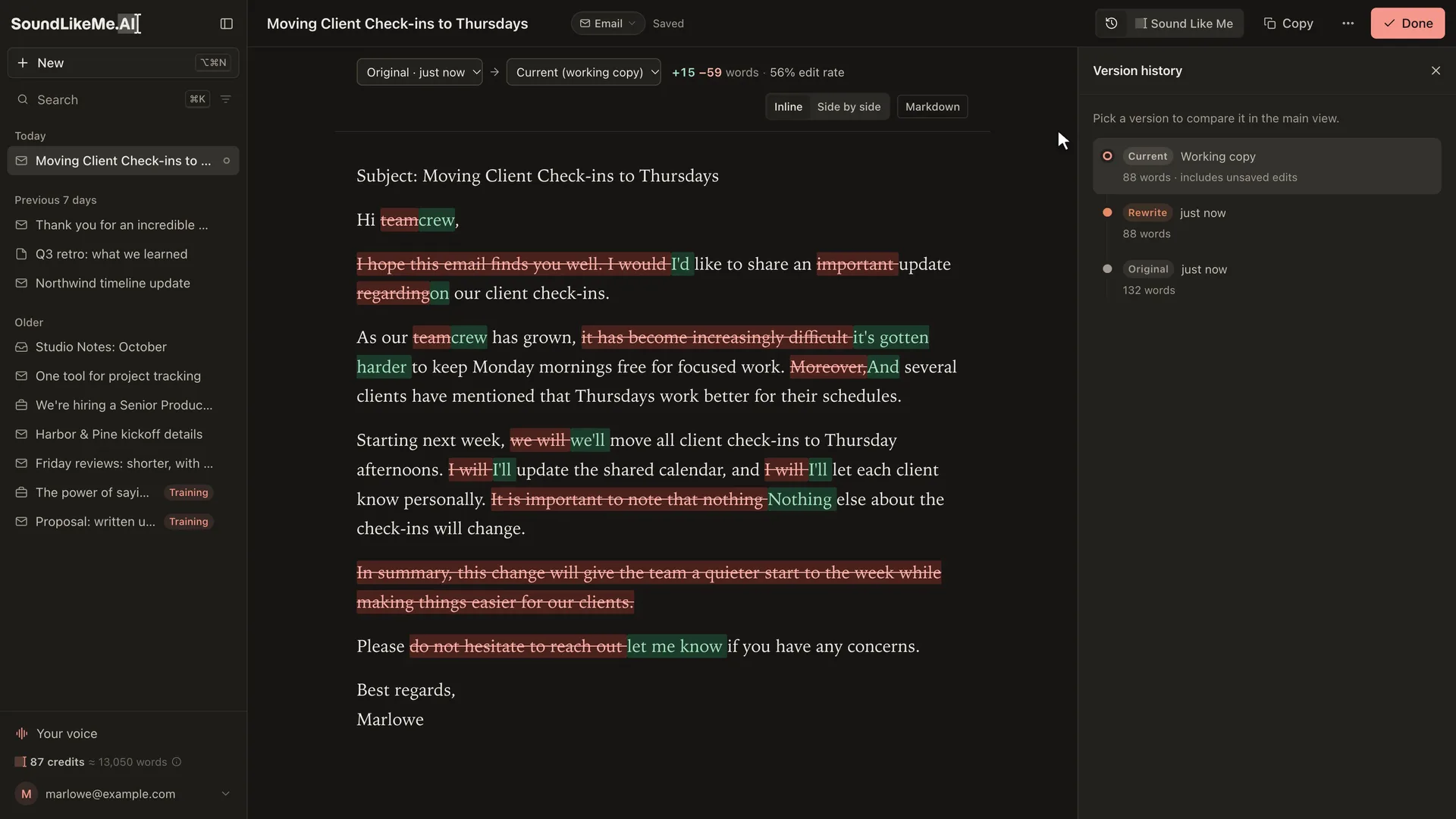
When you hit Done, the app compares three versions: the original paste, its own rewrite, and your final. If you undo one of its changes, that counts against the rule that caused it. If you keep a change, the rule behind it gets stronger. Only style edits can create rules, so fixing a wrong date teaches it nothing about your voice. Plain code, not the model, does the counting and promotes or retires rules. The number the whole system is built around is the edit rate, the share of each rewrite you still change.
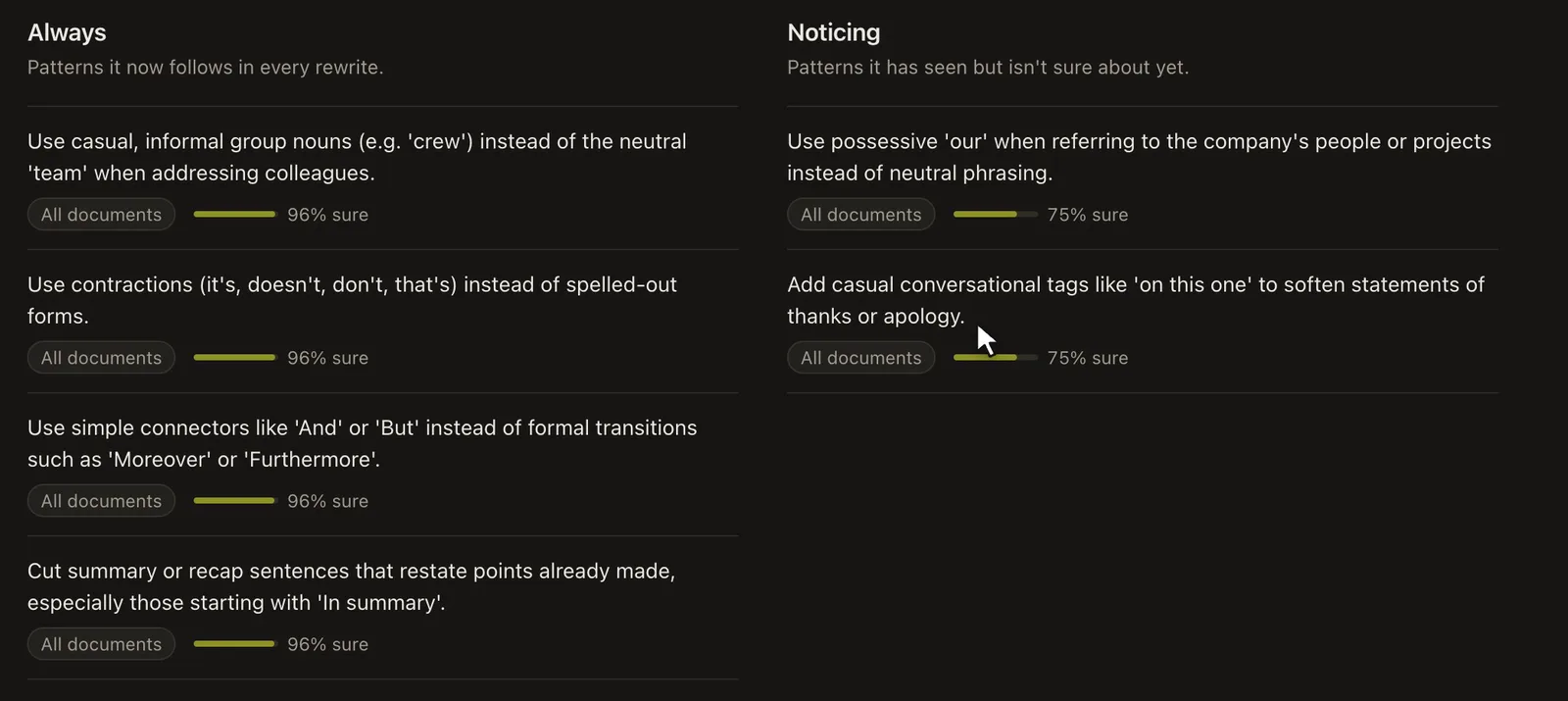
Users see their habits in plain language, under "Always" and "Noticing." Admins see the evidence behind every rule, the cost of every run, and a replay tool that runs past drafts through the current pipeline, so a change to the engine gets measured instead of guessed at.
Training in two short drafts, and testing the samples idea
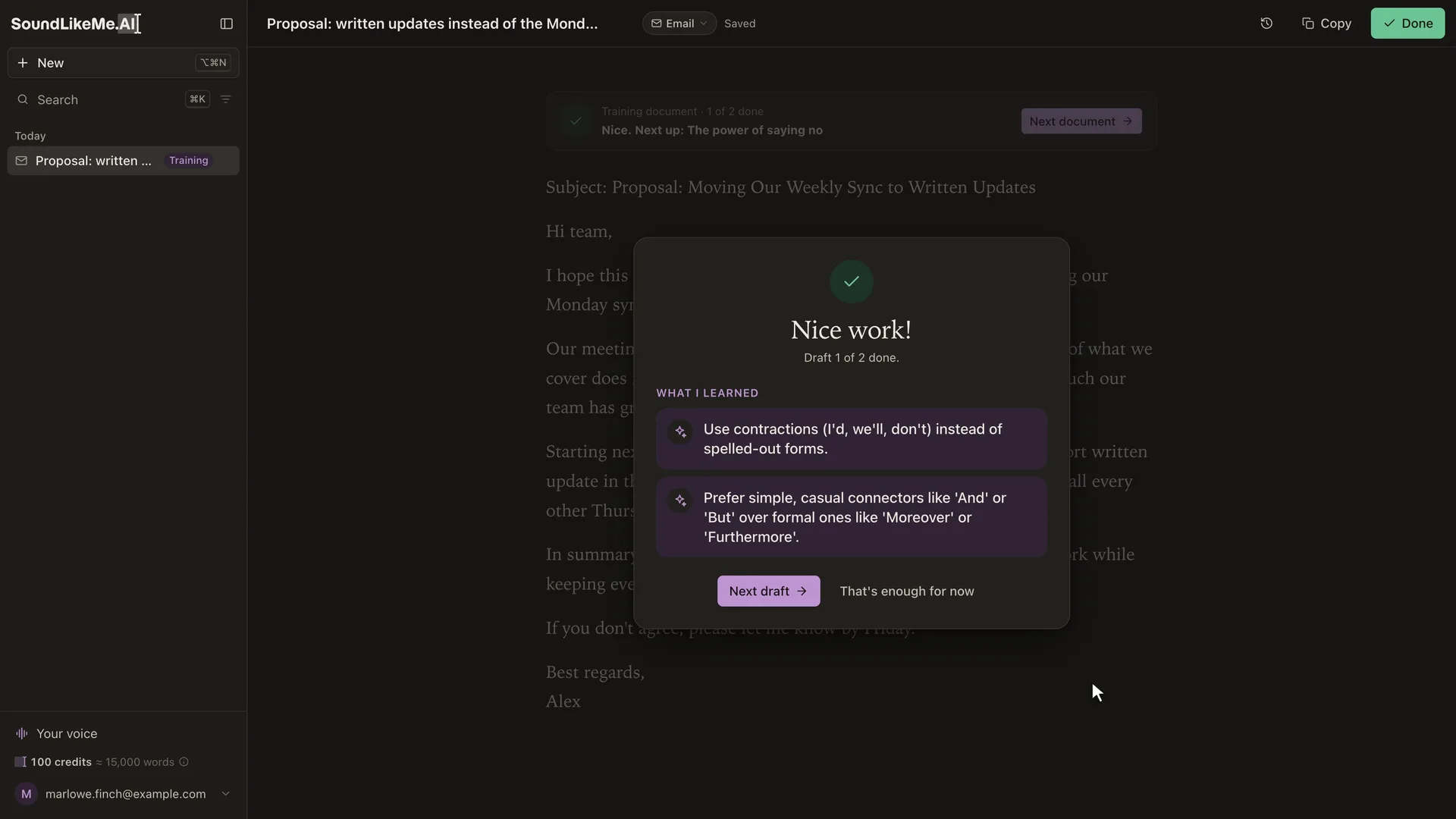
New users can teach it before their first real paste by fixing short pre-written drafts, which are free and get no rewrite. Each one ends with a card listing what it picked up.
Learning from edits was the decision I felt surest about, and I still tested it. I ran the real pipeline on a test persona with five specific habits: "crew" instead of "team," contractions, "And" instead of formal connectors, no closing summary, and no "delve." Then I compared fresh accounts on the same new drafts.
| Test | No training | Writing samples | Training drafts |
|---|---|---|---|
| Three writing samples vs. three training drafts | 6.6% | 4.6% | 0.0% |
| Two short training drafts | 8.5% | 1.6% |
Samples picked up a general voice but missed the personal choices. After three samples, the rewrites still said "team." One run also confirmed my worry about samples: when they still carried AI wording, the learner took that wording as the writer's taste and started preferring words like "thrilled" and "incredible." Training drafts are built around the exact choice points, so they teach the specific habits. These are small runs on a made-up persona, and that's how I read them.
An API, built the morning a beta user asked for one
Feedback from a beta user set the agenda for the November 10 iteration. Most of it was about onboarding, and it led to the shorter training drafts and a first-person welcome screen. It ended with this:
Bonus: make an API. I don't want to go into other tools and definitely don't want to copy and paste. Give me an API so I can pipe directly into my workflow.
I planned that iteration at 9:25 that morning and shipped the API at 10:37. You create a personal key, post a draft, and get it back in your voice through a signed webhook, or you poll for it. Seventeen minutes later I shipped a fix so a webhook address can't be pointed back into the server's own network. It uses the same credits as the app.
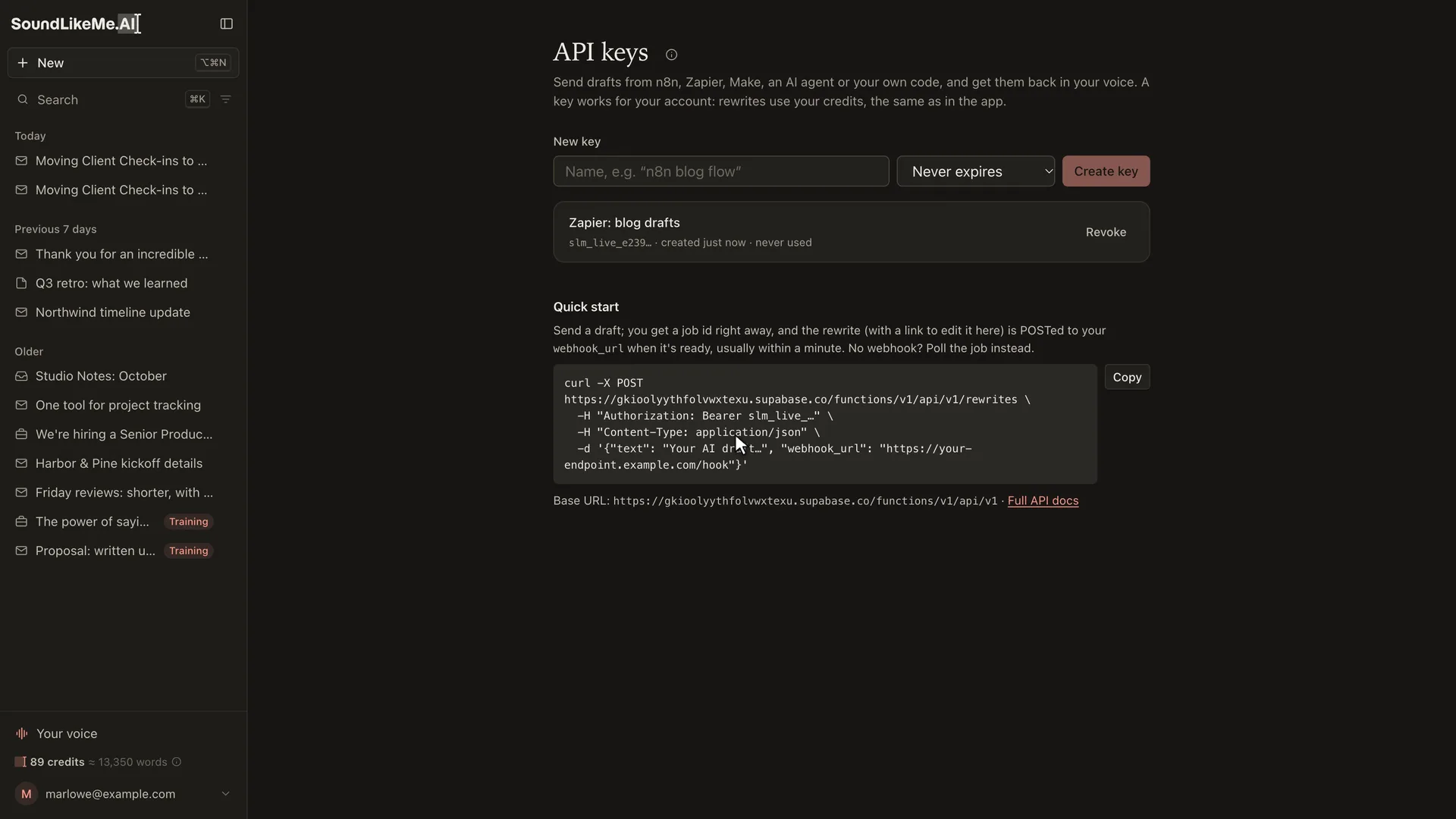
The voice also works outside the app. An MCP connector lets Claude and other AI tools sign in, read your voice, and write with it. You can also export your voice as a Claude skill. In a test, the exported skill used as a plain Claude prompt replaced all eight of the persona's "team"s with "crew." A neutral prompt left five.
The brand and the launch video
I designed the brand myself: the SoundLikeMe.AI wordmark, the cursor mark, and an ear icon I ended up using less. The interface is plain on purpose. It looks like ChatGPT or Claude, because that's where people do this kind of writing. The Spectrum color system is the one thing I wanted to stand out. It's a set of six color stops the accent moves through, a small nod to the fact that nobody writes in just one style. The same stops color the app's confetti and the launch video's title cards.
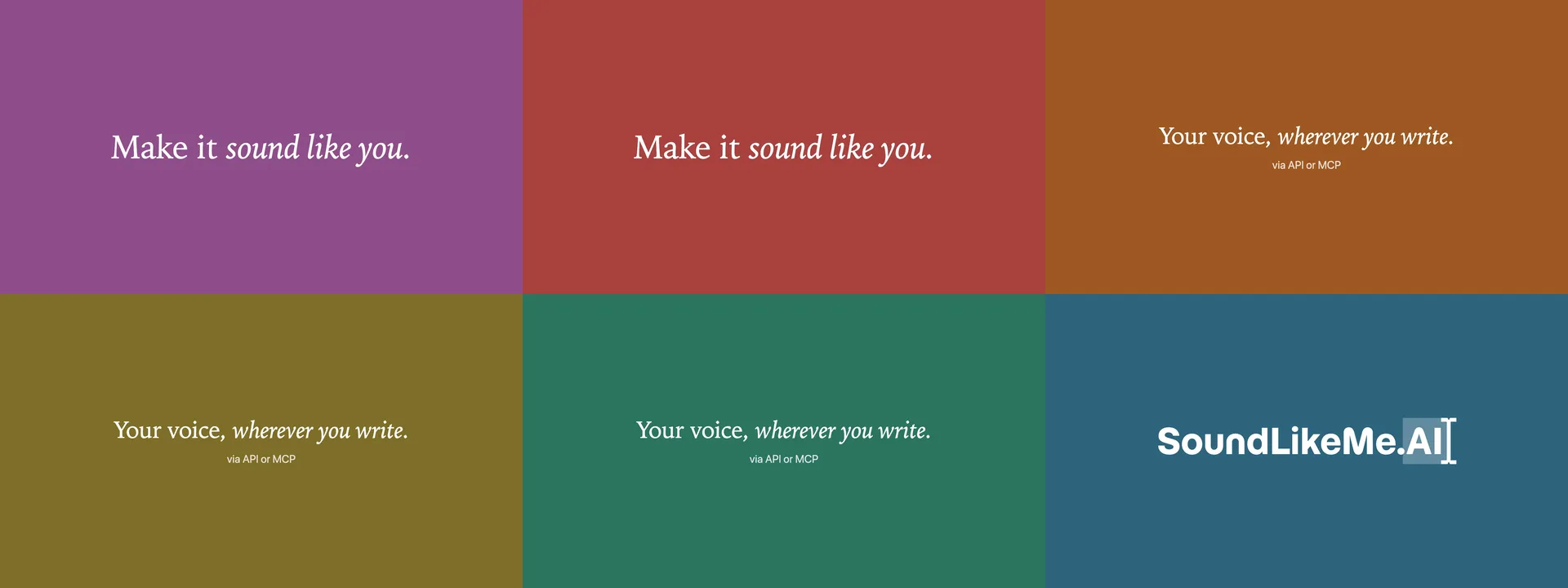
The 30-second launch video is written as code in Remotion. Scripts drive the local app through each scene and record it, with a drawn cursor and typing at a human pace. The writer on screen, Marlowe Finch, is made up, but the account has three weeks of real learning behind it. When the UI changes, I rerun a script instead of re-recording by hand. The music is generated with ElevenLabs Music, and the same footage renders a 16:9 and a 9:16 cut.
End AI Slop: the PSA
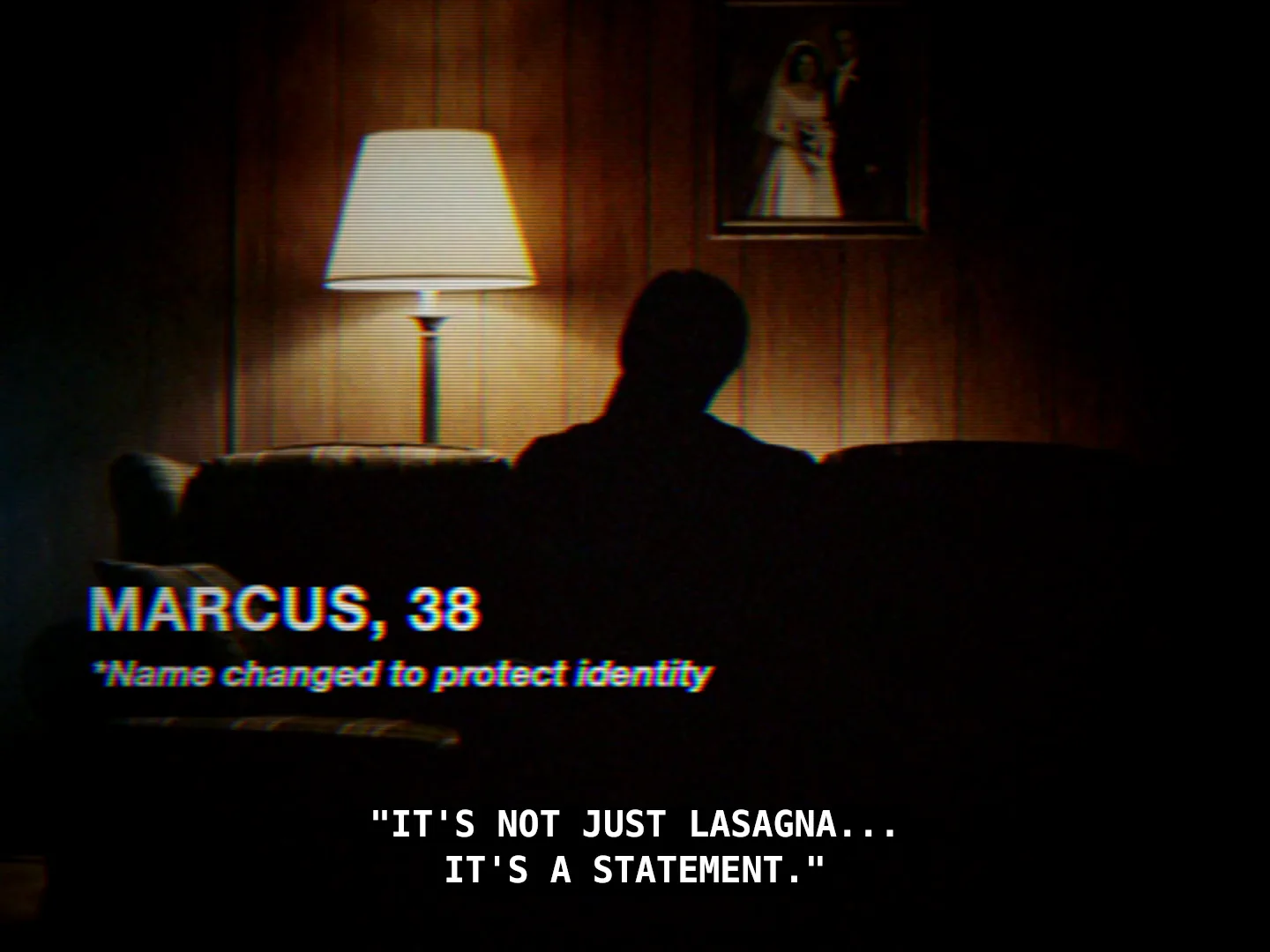
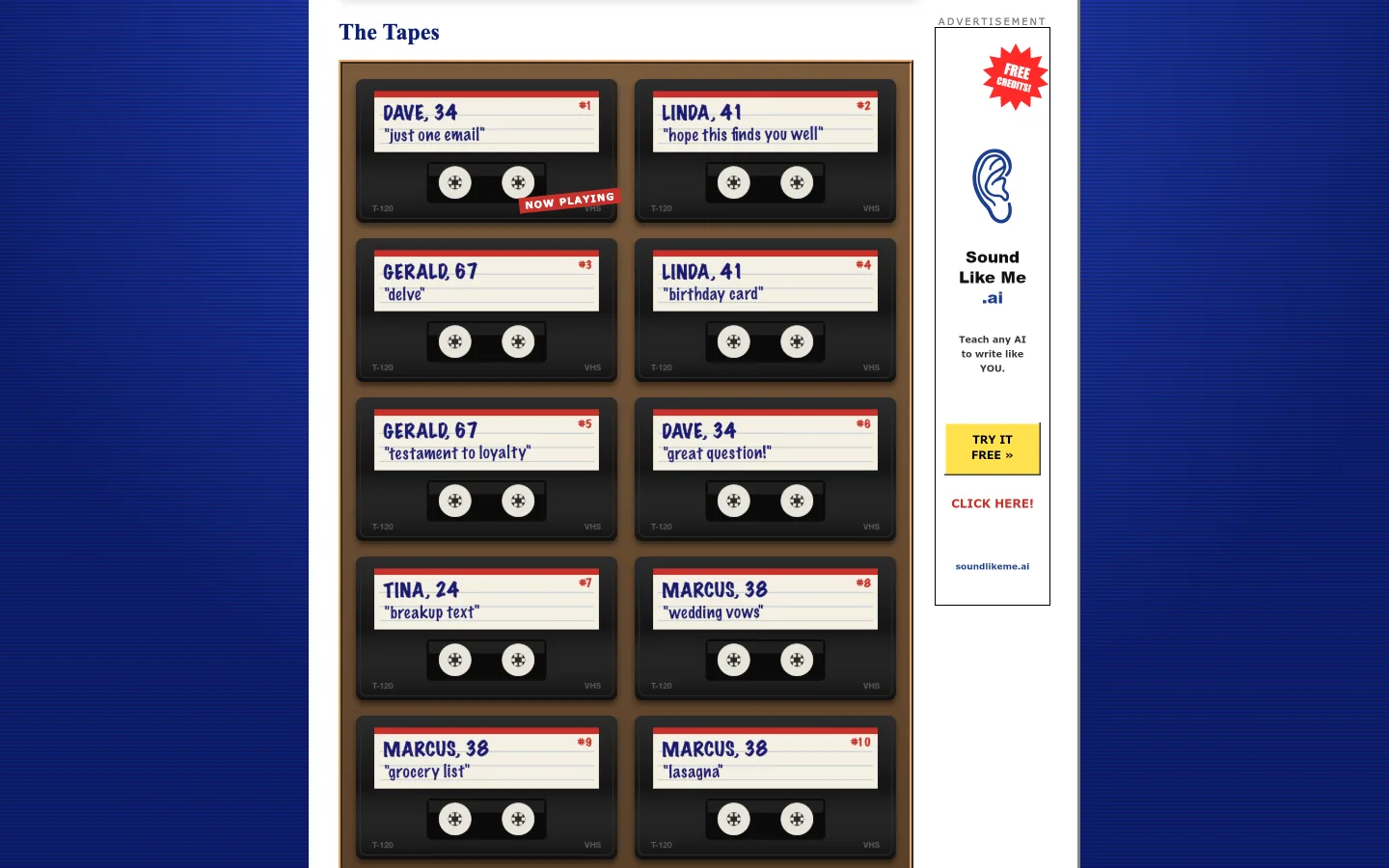
I picked the format from four concepts. The winner, "It Can Happen to Anyone," borrows the anonymous testimony of an after-school special: people in backlit silhouette, a first name and an age in the lower third, confessing to slop. "I said 'delve.' Out loud. At Thanksgiving." Five characters deliver ten testimonials. One character started out as "Karen," and I renamed her Linda, because the meme reads as a jab and the spot has to stay kind.
The silhouettes solved the hard parts of AI video. Nobody's mouth is visible, so there's no lip sync to get wrong, and one clip per character can carry any of that character's lines. Five clips cover all ten testimonials, which kept the video budget small and made new versions nearly free. The "identity protected" voice filter suits the era and also hides AI voice artifacts.
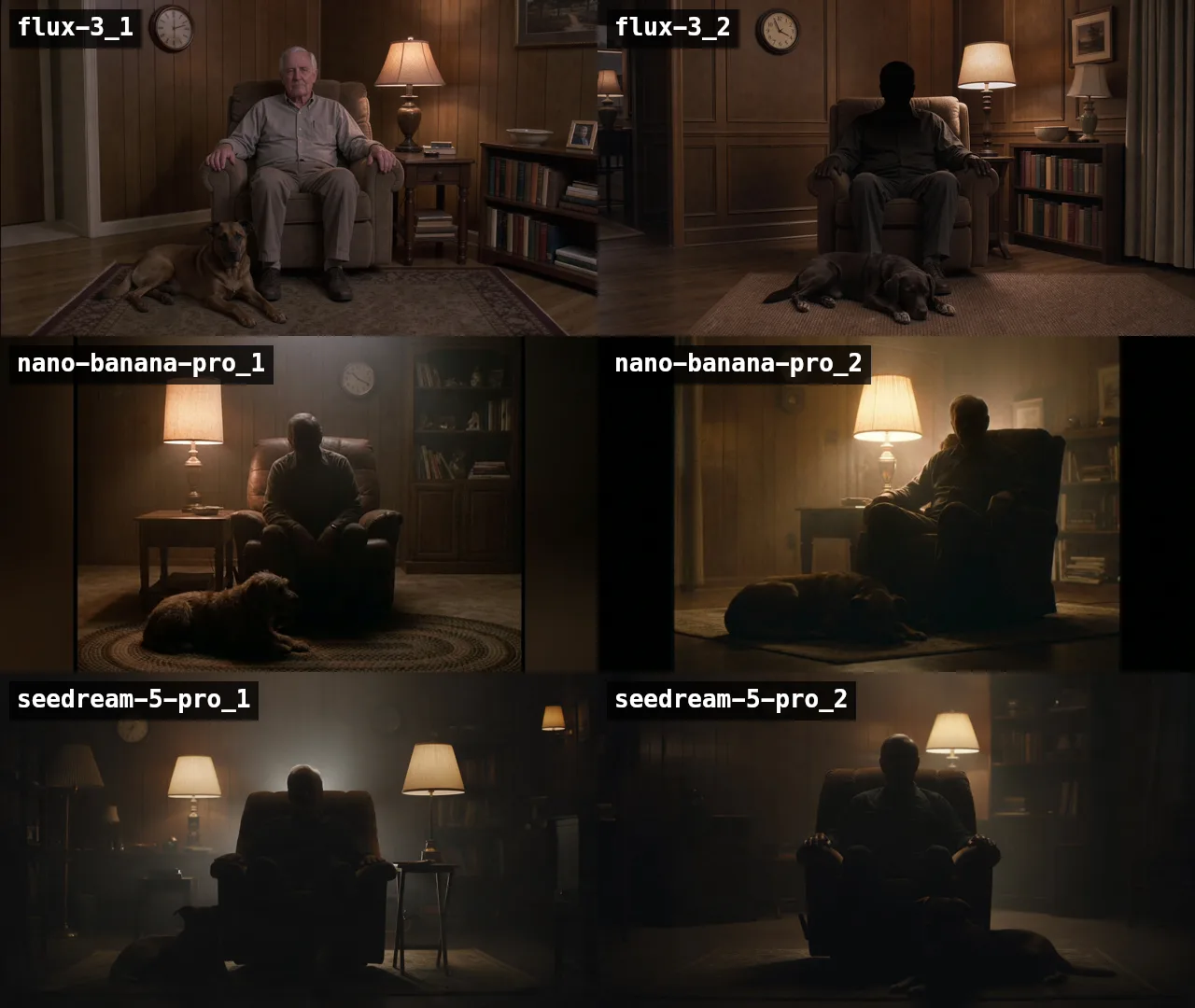
I tested models before spending on any of them. I ran the same prompt through three image models and picked Nano Banana Pro for the stills, then tried four video models and chose MiniMax for the clips. The VHS look is added in post rather than prompted, which keeps it consistent: a scripted ffmpeg edit grades each scene, adds the tape noise and color bleed, scanlines and closed captions, and mixes the voices, music, and effects. All of the generation happened in one evening and cost about $15 in fal credits across 64 calls, against a $100 budget.
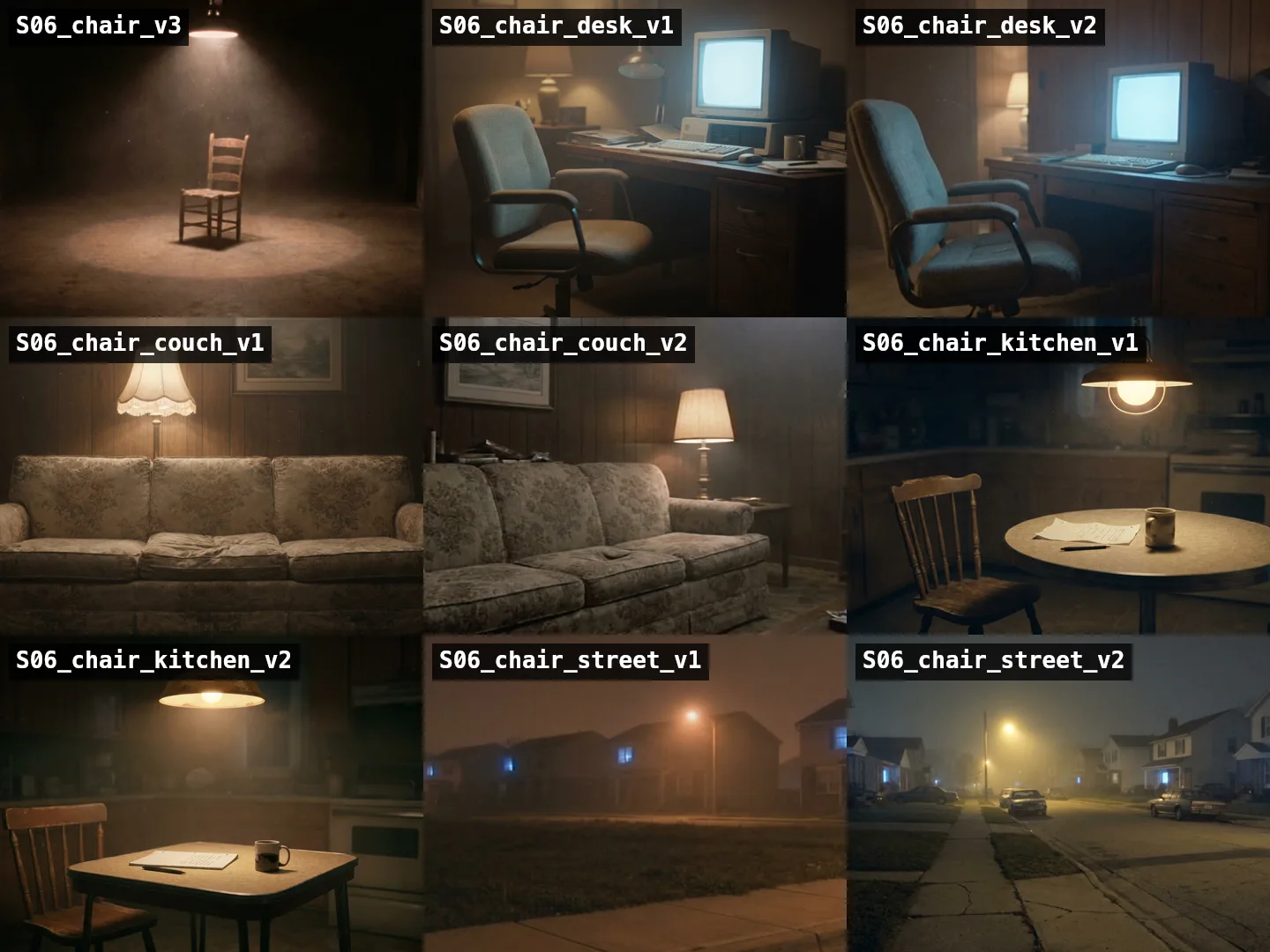
The closing shot was the one I changed after the first cut. An empty wooden chair under a spotlight read as an interrogation room. I generated four other settings and went with an empty office chair at a glowing 1980s computer desk. The edit renders 32 files: a hero cut, a cold open, two alternates, a 35-second and a 40-second version, and ten single-testimonial cutdowns, each in 16:9 for X and 9:16 for phones. The cutdowns are made to reply to specific posts. Gerald's "delve" tape goes under a post that says "delve."
endaislop.com
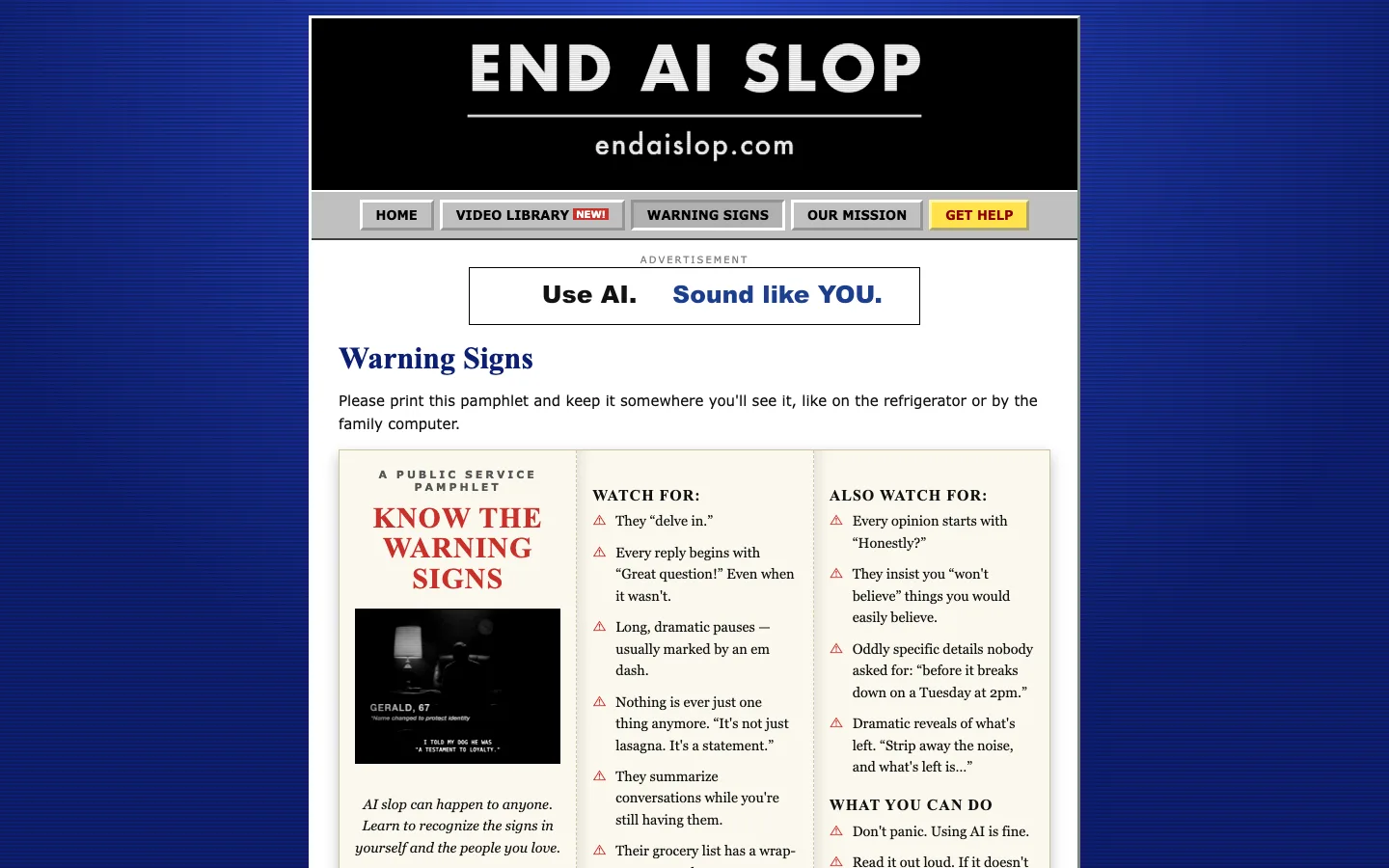
The site is a circa-1998 government campaign page, played straight: beveled gray buttons, Verdana and Times, a scrolling ticker, "Best viewed in Netscape Navigator 4.0 at 800×600," and a hit counter that really counts, stored in Netlify Blobs. It's plain HTML with no build step. A script generates the header mark, tape labels, badges, and the animated GIF banner ads, frame by frame.
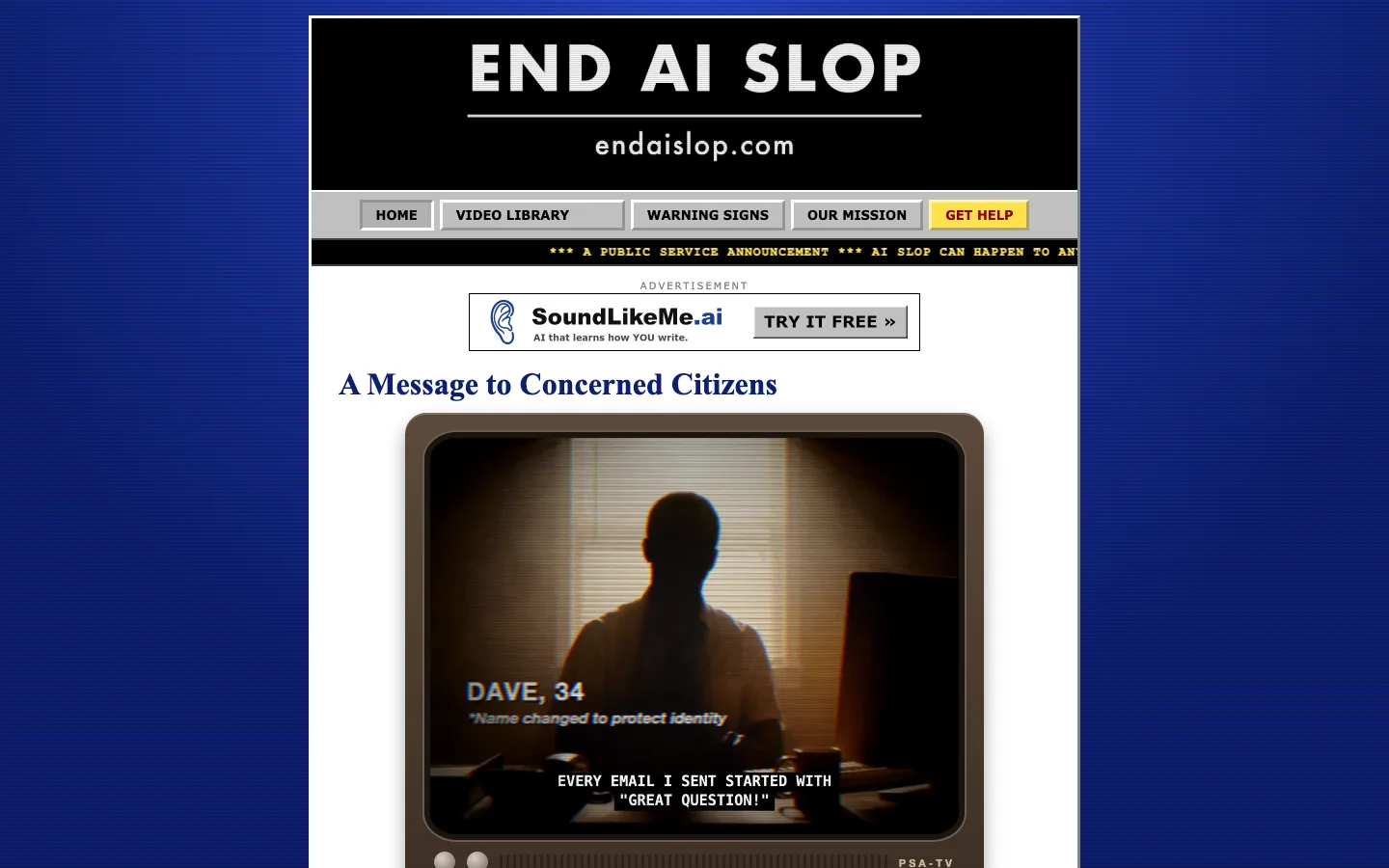
Most visitors will come from an X reply on a phone, so sharing is the main feature. The Video Library shelves the ten testimonials as labeled VHS tapes. On a phone, Share opens the native share sheet with the video file attached, so a clip can go straight into a post. On desktop there are 16:9 and 9:16 downloads and a Post to X button.
Warning Signs is a tri-fold pamphlet for the refrigerator ("Their grocery list has a wrap-up paragraph"), and Our Mission makes the pro-AI case with an FAQ for parents and educators.
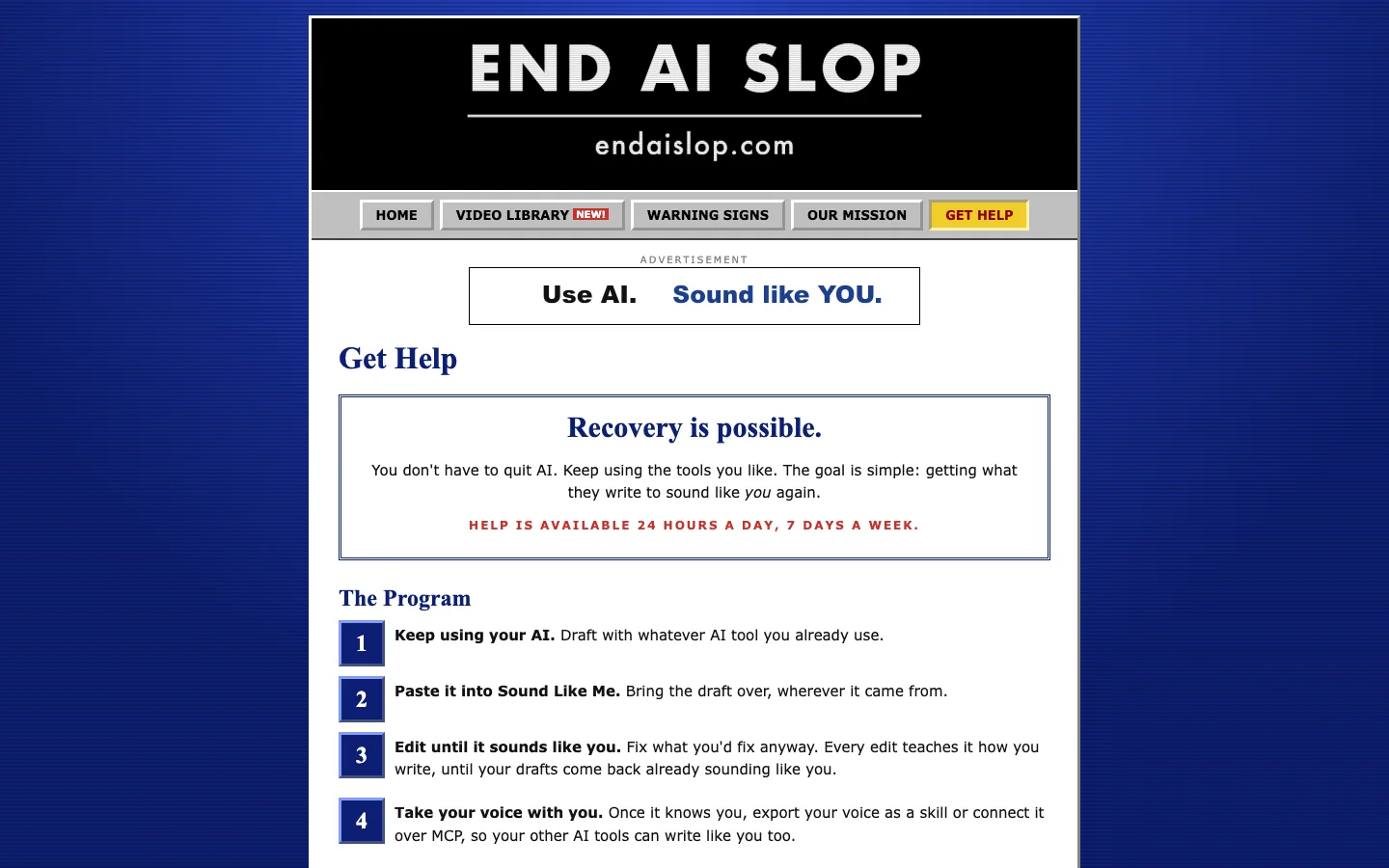
The product only shows up in four places, all of them in period: the banner ads, a sponsor line ("This public service announcement was made possible by SoundLikeMe.ai"), a card that fills the TV when a tape ends, and the Get Help page. Get Help is the way out to the product, written as a four-step recovery program.
The disclosure line: marketing inside the product
A campaign gets attention once. I also wanted something that keeps spreading for as long as people use the app. It started in a launch brainstorm as a badge, like "Sent from my iPhone." But a badge only works on a web page, and most writing isn't one. Meanwhile more platforms, publishers and journals are landing on the same rule: it's fine to write with AI, just say so. So the badge became a line of plain text that works at the bottom of an email, a Slack message, or a LinkedIn post.
Writers can turn on a disclosure line, and the app adds it to the end of what they copy: "Drafted with AI and edited with Sound Like Me AI to sound like me," in a full, short, footer, or inline style. It's off by default, so it's something the writer chooses to say and never a watermark. The wording follows how the text was made, so it's always true. Text edited in the app gets one version, text another AI tool wrote from your exported voice gets another, and a doc you typed from scratch gets no line at all. The API returns the line as its own field, so it never breaks a pipeline that processes the text, and the MCP connector and voice export carry it too. If a finished text comes back with the line still on it, the app strips it before learning, so it never counts as an edit.
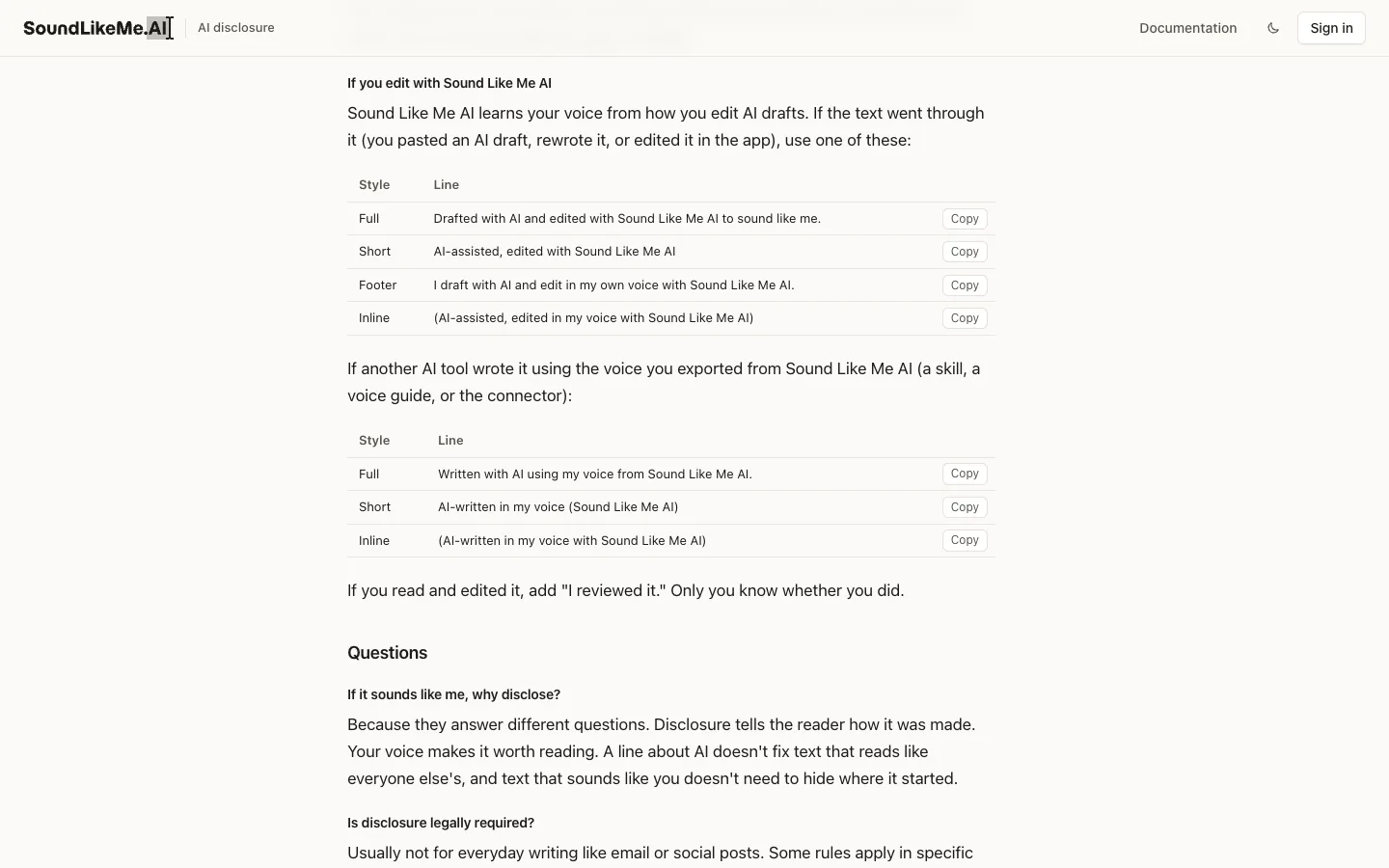
The hard call was the link. The line names the product but doesn't link to it. A link reads as an ad, and people would switch it off. A named tool reads as honest disclosure. Most of these lines will end up in email and DMs, where a link does nothing for search anyway, and writers who publish on the web can choose to link the name. The trade-off is that the name has to be findable on its own, so searching "Sound Like Me AI" needs to lead to the site.
The line comes with a public guide at soundlikeme.ai/ai-disclosure: why to disclose, who's asking for it, when to do it, and lines anyone can copy for any AI tool, not only mine. It also answers the obvious question, "if it sounds like me, why disclose?" Disclosure covers honesty, and your voice covers quality. A disclosed email can still read like every other AI email, and an email that sounds like you shouldn't have to hide where it started.
Outcome
Sound Like Me AI runs at soundlikeme.ai with training, the API, the MCP connector, voice export, and the disclosure line, and every edit a user makes adds evidence to their own rules. The campaign was finished in every format it needs before launch: the 40-second PSA, ten single-testimonial cutdowns in 16:9 and 9:16, the launch video, and endaislop.com to share them from. Each cutdown answers a specific kind of slop, so the campaign can keep running as replies for as long as people keep writing "delve."